
Alright, so you’re trying to figure out how your ads on Facebook or Google actually lead to sales on Amazon. It’s a common problem, and honestly, most people just guess. But there’s a better way, and it’s called Amazon Attribution tracking. Think of it like having a detective for your marketing spend. This guide is all about making sure you know exactly what’s working and what’s not, especially as we head into 2025. We’ll break down how to set it up, use the data, and stop wasting money on ads that don’t actually bring in customers.
Key Takeaways
- Amazon Attribution tracking 2025 is your tool to see how ads outside of Amazon drive sales inside Amazon.
- You create special links, called attribution tags, to put on your ads everywhere else.
- These tags tell Amazon which ad brought the customer, so you get credit for sales.
- By using unique tags for different ads or audiences, you can learn what really works.
- Using this data helps you spend your ad money smarter and plan better for the future.
Understanding Amazon Attribution Tracking in 2025
The Role of Attribution in E-commerce Success
In today’s crowded online marketplace, knowing where your sales actually come from is a big deal. It’s not enough to just run ads on Facebook or Google and hope for the best. You need to connect those efforts directly to your Amazon sales. Attribution helps you see the whole picture, showing you which ads and channels are really driving customers to your products on Amazon. Without this, you’re basically flying blind, guessing which marketing dollars are working and which are just disappearing into the void. It’s about making smarter choices with your ad spend so you can actually grow your business.
Core Functionality of Amazon Attribution
So, how does Amazon Attribution actually work? It’s pretty clever, really. You create special tracking links, often called attribution tags, for all your off-Amazon advertising. Think of them like unique fingerprints for each ad campaign or channel you’re using – maybe one for your Facebook ads, another for your Google Display Network ads, and even one for an influencer post. When someone clicks on one of these tagged links, Amazon can track their journey. It records things like impressions, clicks, detail page views, and crucially, whether that click eventually led to a sale. This allows you to see the direct impact of your non-Amazon marketing efforts on your Amazon sales performance. It’s a way to get a clearer view of your marketing efforts.
Key Benefits for Advertisers
Using Amazon Attribution gives you a serious edge. For starters, you get to see which advertising sources are bringing in the most traffic and sales. This means you can stop wasting money on ads that aren’t performing and put more resources into the ones that are actually working. It also helps you understand your customers better. You can see what kind of messaging or visuals they respond to, which is super helpful for planning future campaigns. Plus, it provides data on the full sales funnel, not just the final purchase. You can track things like:
- Impressions: How often your ads are seen.
- Click-through Rate (CTR): How many people click on your ads.
- Detail Page Views: How many people visit your product page after clicking an ad.
- Add to Carts: How many people add your product to their cart.
- Purchases: How many sales are directly linked to your ads.
This kind of detailed information lets you fine-tune your campaigns for better results. It’s all about making your advertising more efficient and effective.
Setting Up Your Amazon Attribution Strategy
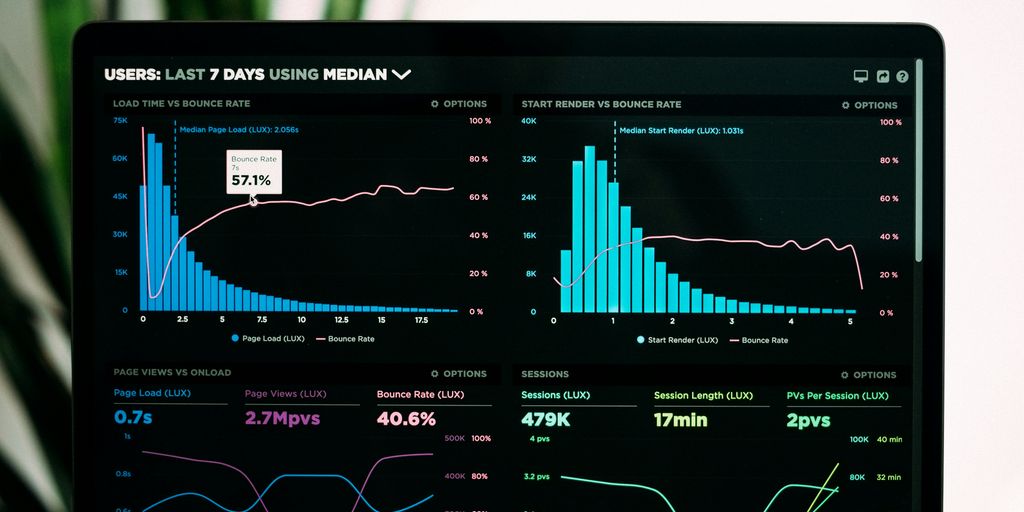
Alright, let’s get you set up. You’ve got the theory down, so now it’s time to roll up your sleeves and put Amazon Attribution to work. Setting up your first campaign is surprisingly straightforward, and it’s the key to turning your off-Amazon marketing from a shot in the dark into a source of crystal-clear, measurable results.
The magic behind all of this is something called an Attribution Tag. Think of it as a special tracking link that you create right inside the Amazon Advertising console. You then take this unique link and use it in your external marketing—like a Google Ad, a Facebook post, or even a link in your email newsletter. When a shopper clicks that link, Amazon knows exactly which ad sent them, giving you full credit for any sale or action that follows. This is how you finally connect the dots between your marketing efforts and actual sales.
Before you jump into the console, let’s get a few things in order first. Having this ready will make the actual setup process a breeze.
Creating Your First Attribution Measurement
Start by logging into your Amazon Advertising account. From there, you’ll create a new attribution measurement. This is where you’ll define what you want to track, like specific products or campaigns. You’ll also set your goals and who you’re trying to reach. This initial setup helps tailor the tracking to your specific needs.
Generating and Implementing Attribution Tags
Once your measurement is set up, you’ll generate unique attribution tags. These tags are the actual tracking links. You’ll then take these links and put them into your external marketing materials. It’s important to be consistent with how you use them. For instance, if you’re running ads on Google, you’ll append the tag to your ad URLs. If you’re working with influencers, give each one their own unique link to use in their bio or swipe-ups. This granular approach is what allows for accurate tracking. You can find more information on optimizing Amazon ad placements.
Essential Initial Setup Checklist
To make the setup process as smooth as possible, have these items ready:
- Brand Registry Access: You need to be brand-registered on Amazon to use Attribution.
- Product List: Know which specific products or variations you want to track.
- Marketing Channel Details: Identify the external channels you’ll be using (e.g., Facebook, Google Ads, email, influencers).
- Campaign Naming Convention: Decide on a clear and consistent way to name your tags and campaigns so you can easily identify them later.
Treating every off-Amazon channel like its own mini-experiment, using unique tags for each, allows you to systematically improve your ad efficiency and, ultimately, your bottom line. It stops the guesswork and builds a structured system for testing and learning.
Leveraging Attribution Tags for Granular Insights
The Power of Unique Tagging
Look, just slapping one generic tracking link on everything you do off Amazon is like trying to figure out which ingredient makes a cake taste good by tasting the whole cake at once. It doesn’t work. You need to get specific. Creating unique attribution tags for every single thing you promote is where the real insights start to show up. Think about it: if you’re running ads on Facebook, you should have one tag for your video ad and a different one for your carousel ad. This way, you can see which creative actually gets people to click through to your Amazon product page. It’s not complicated, but it’s a game-changer for understanding what’s actually driving results.
Segmenting by Audience with Unique Tags
This is where things get really interesting. Let’s say you’re targeting two different groups of people with your ads – maybe one group is into fitness, and the other is more casual. If you use the same tracking tag for both, you’ll never know which audience is actually more likely to buy your product on Amazon. But if you give each audience its own unique tag, you can look at the data and see, "Wow, the fitness crowd is really converting!" This tells you exactly where to focus your ad spend. It’s about making smarter decisions based on real customer behavior, not just guessing.
A/B Testing Creatives with Distinct Tags
Testing different ad creatives is a must, and Amazon Attribution makes it super straightforward. Imagine you have two versions of an ad for the same product. Version A uses a lifestyle image, and Version B uses a product-focused shot. You’d create two separate attribution tags, one for each ad. Then, you’d run them and see which tag leads to more detail page views, more add-to-carts, and ultimately, more sales on Amazon. This direct comparison is how you figure out what messaging and visuals actually connect with shoppers. It’s a simple process that can significantly improve your campaign performance over time. You can even do this with different ad copy or calls to action. The key is to isolate variables so you know exactly what’s making the difference. This kind of testing is how you stop wasting money on ads that don’t work and start putting your budget towards what does. You can find more information on how to get started with Amazon Attribution to begin this process.
The goal is to move beyond just knowing that an ad worked, and start knowing why it worked. This level of detail allows for continuous improvement, turning your marketing efforts into a predictable growth engine.
Optimizing Campaigns with Amazon Attribution Data
So, you’ve got your Amazon Attribution set up and tags are chugging along. That’s great, but it’s really just the beginning. The real work, the stuff that actually moves the needle, is digging into that data and making smart changes to your campaigns. It’s not enough to just see the numbers; you have to act on them.
Analyzing Full-Funnel Performance Metrics
Amazon Attribution gives you a look at how people interact with your ads, from the first click all the way to a potential purchase. You can see which channels are bringing people in, which ones get them to add to their cart, and ultimately, which ones lead to a sale. This full-funnel view is pretty important because it shows you where your money is actually going and what’s working at each stage. For instance, you might find that your social media ads are great at getting initial interest, but your email campaigns are what actually close the deal. Knowing this helps you adjust your spending and focus.
Testing and Iterating Attribution Models
Attribution isn’t a one-size-fits-all thing. Amazon Attribution lets you play around with different ways of counting conversions. You can look at a simple last-click model, which gives all the credit to the very last ad someone saw before buying. Or you could try a first-click model, which credits the initial ad that got them interested. There are also custom options. Experimenting with these models is key because different products and customer journeys might work better with different attribution setups. It’s about figuring out what gives you the clearest picture of what’s driving sales for your specific business. Don’t just stick with the default; test it out.
Continuous Campaign Refinement Strategies
Think of your attribution data as a constant feedback loop. You see something working? Do more of that. Something not working? Figure out why and either fix it or stop spending money there. For example, if your Google Ads report shows that ads targeting specific, branded keywords have a much higher purchase rate than broad keywords, you can shift your budget accordingly. This means putting more money into those high-performing branded terms and maybe refining or reducing spend on the broad ones. It’s about making your ad spend smarter, not just bigger. This kind of ongoing tweaking, based on real data from Amazon Attribution, is how you actually improve your ad efficiency over time and get a better return on your investment.
Advanced Amazon Attribution Tracking Techniques
Alright, so you’ve got the basics of Amazon Attribution down, and you’re ready to move beyond just tracking clicks. This is where things get really interesting, and honestly, where you can start seeing some serious improvements in your ad spend. We’re talking about getting smarter with how you track and use the data, especially for those off-Amazon efforts.
Integrating with Amazon DSP for Enhanced Targeting
If you’re using Amazon DSP, you already know it’s a powerful tool for reaching specific audiences. Attribution can help you connect the dots between your DSP campaigns and actual sales on Amazon. By tagging your DSP ads, you can see which audience segments are actually converting. This means you can stop wasting money on audiences that aren’t buying and put more budget towards the ones that are. It’s about making sure your ads are seen by the right people, at the right time, and that you can prove it’s driving sales. For instance, you might find that a specific audience segment you’re targeting on DSP is also highly responsive to your Sponsored Products ads, giving you a clear signal to invest more there. This kind of cross-channel insight is what separates good advertisers from great ones, especially as Amazon’s advertising landscape evolves Amazon’s advertising landscape.
Understanding Cross-Device Tracking
People don’t always buy on the same device they browse on. Someone might see your ad on their phone while commuting, then later, on their laptop at home, they search for your product and buy it. Without cross-device tracking, that second interaction might not get credited to your initial ad. Amazon Attribution is working to bridge this gap. While it’s not perfect, it tries to connect these different touchpoints. The goal is to get a more complete picture of the customer journey, not just the final click. This helps you understand the real impact of your ads, even if the purchase happens later or on a different device.
Utilizing the Attribution Window Effectively
The attribution window is basically the timeframe during which a click or view on your ad can lead to a sale that gets attributed back to that ad. Amazon offers different windows, and choosing the right one is important. A longer window might capture more of those delayed purchases, giving you credit for ads that influenced a sale but didn’t get the immediate click. However, a very long window could also dilute the performance of your more immediate, high-performing ads. It’s a balancing act. You need to experiment to find what works best for your product and your customers’ buying habits. For example, if you sell high-consideration items, a longer window might be more appropriate than if you sell impulse buys. Testing different windows can reveal a lot about how your customers actually shop.
Maximizing ROI with Amazon Attribution
So, you’ve got your Amazon Attribution set up and you’re seeing some data roll in. That’s great, but the real magic happens when you start using that information to actually make more money. It’s not just about knowing where sales come from, but how to get more of them, more efficiently. Think of it like this: you wouldn’t just keep throwing darts blindfolded, right? You’d want to know which ones hit the board, which ones are close to the bullseye, and adjust your aim accordingly. Amazon Attribution gives you that aim.
Measuring the True Impact of Off-Amazon Channels
This is where Amazon Attribution really shines. Before this, trying to figure out if that Facebook ad or Google search campaign was actually leading to sales on Amazon felt like a shot in the dark. Now, you can see it. You can track how many people clicked your off-Amazon ad, landed on your Amazon product page, and then, crucially, bought something. This lets you see which channels are actually moving the needle and which ones are just costing you money without a clear return. It’s about connecting those dots between your marketing spend and actual Amazon revenue. You can finally tell if your efforts on platforms like Google Ads are paying off.
Improving Advertising Channel Efficiency
Once you know which channels are working, you can start shifting your budget. If you see that your email marketing campaigns are bringing in high-converting customers, but your display ads aren’t, it makes sense to put more money into email and less into display. You can also look at the type of traffic each channel sends. Maybe one channel brings in a lot of clicks, but few sales, while another brings fewer clicks but a much higher conversion rate. You want to focus on those high-converting channels and figure out how to get more of that specific audience. It’s about making every advertising dollar work harder for you.
Planning Future Marketing Initiatives with Data
What did your customers respond to? What kind of messaging or visuals made them click and buy? Amazon Attribution can give you clues. By analyzing the performance of different tags and campaigns, you can start to understand your audience’s preferences. This information is gold for planning your next marketing push. You can create more targeted campaigns, develop better ad copy, and even inform product development based on what your data tells you about customer behavior. It’s about using past performance to build a smarter, more profitable future for your business on Amazon.
Want to get more from your Amazon ads? Learning how to make your advertising work harder is key. By understanding how to manage your ad campaigns better, you can see a bigger return on your spending. Want to learn more about boosting your Amazon sales? Visit our website today!
Putting It All Together: Your Path Forward
So, we’ve walked through how Amazon Attribution works and why it’s a big deal for anyone selling on Amazon. It’s not just about seeing if your ads are working; it’s about truly understanding how people find and buy your stuff. By using those special tracking tags and paying attention to the data, you can stop wasting money on ads that don’t do much and put your budget where it actually counts. Remember, it’s an ongoing process. Keep testing different links, different ads, and different audiences. The more you use it, the smarter your marketing will get, and that’s how you’ll see real growth. Don’t just set it up and forget it; make it a regular part of how you do business.
Frequently Asked Questions
What is Amazon Attribution and why should I use it?
Amazon Attribution helps you see which ads and marketing efforts outside of Amazon, like on Facebook or Google, actually lead to sales on Amazon. It uses special tracking links, called attribution tags, to figure this out. This way, you know where your money is best spent.
How do I set up Amazon Attribution?
You create unique tracking links, or attribution tags, for each ad or marketing post you make. You put these links in your ads. When someone clicks, Amazon knows which ad sent them, and it tracks what they do, like viewing a product or buying it. This helps you see what’s working.
Why is it important to use unique tracking tags for different ads?
It’s super important to use a different tracking tag for every single ad or post. If you use the same tag for everything, you won’t know which specific ad is bringing in sales. Being specific helps you compare ads and see which ones are best.
What kind of information can I get from Amazon Attribution?
You can look at data like how many people clicked your ad, how many viewed your product page, and how many added it to their cart. This helps you understand what customers are doing before they buy, so you can make your ads better.
Can I use Amazon Attribution to test different ad designs or messages?
Yes, you can test different versions of your ads. For example, you can create two similar Facebook ads but use a different tracking tag for each. Then, you can see which ad gets more clicks or sales, helping you improve your ads over time.
How does Amazon Attribution track customers across different devices and over time?
Amazon Attribution helps you see the whole journey a customer takes, even if they click an ad on their phone and buy later on their computer. It also tracks their actions for a certain time, usually 14 days, after they click your link. This gives you a clearer picture of how your marketing is working.